Feature page
Digital Working Space for Focused Daily Work
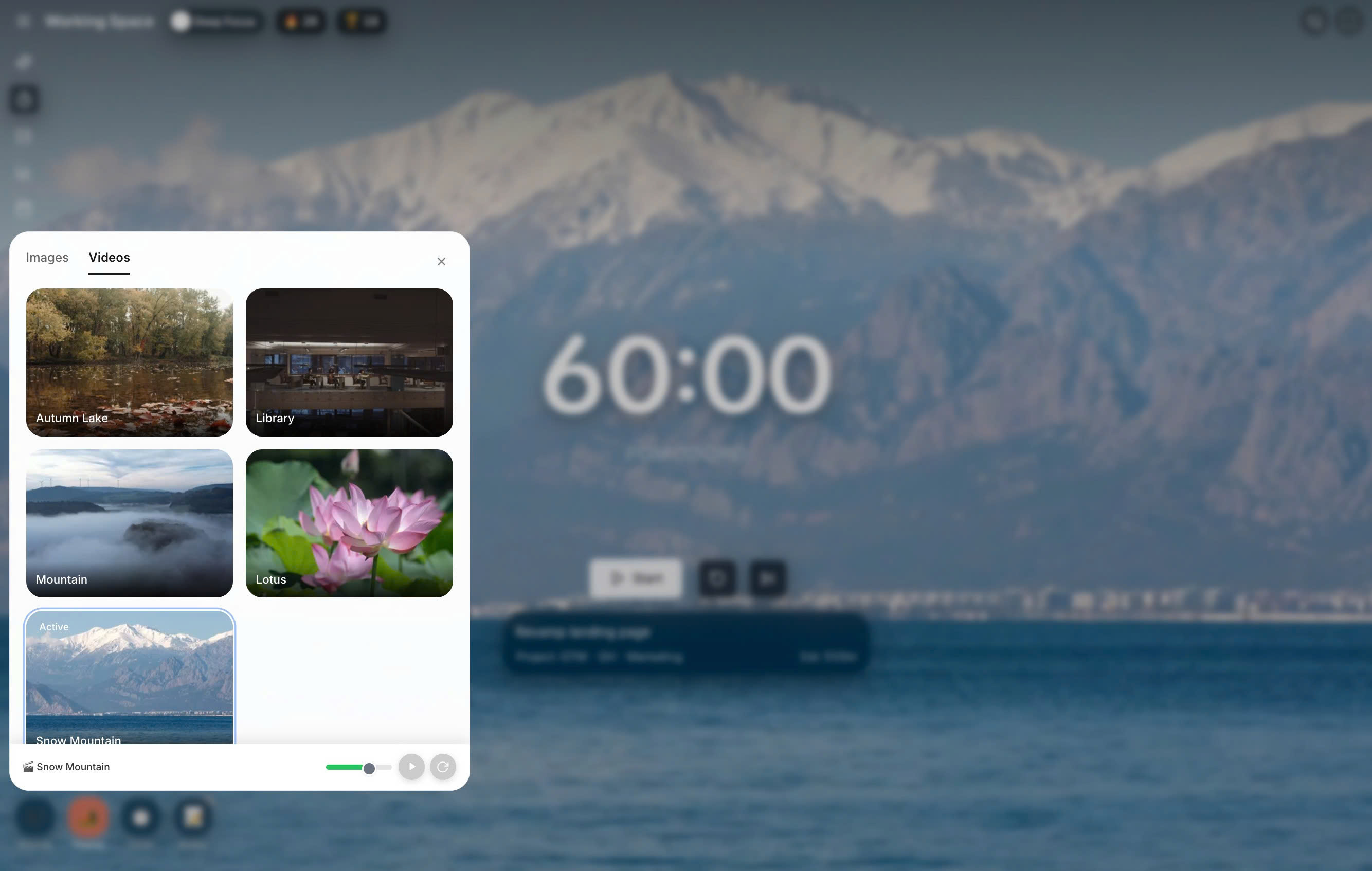
The Kronos digital working space brings a focus timer, visual theme, ambient sound or YouTube background, and task context into one screen. It helps users create a repeatable work ritual without switching between separate timer, music, task, and workspace tools.
Last updated May 7, 2026
COMPARISON
How is a digital working space different from a timer or music app?
| What you actually need | Pomofocus | Brain.fm | Flocus | LifeAt | Kronos Working Space |
|---|---|---|---|---|---|
| Count-up / flexible focus timer (Flowmodoro) | ~ | ✓ | ✓ | ✓ | ✓ |
| YouTube or custom video as workspace background | ✗ | ✗ | ✓ | ~ | ✓ |
| Project-level time breakdown across tasks | ~ | ✗ | ~ | ✓ | ✓ |
| Each focus session saved to the specific task it belongs to | ~ | ✗ | ~ | ✓ | ✓ |
| Long-term progress toward 10,000-hour mastery goals | ✗ | ✗ | ✗ | ✗ | ✓ |

✓ Yes~ Partial or limited support✗ No
WHO IT’S FOR
Who should use the digital working space?
Writers
A writer can choose a calm theme, add sound or a background video, keep one writing task visible, and use a longer work block for drafting without tab switching.
Uses: Themes · Ambient sounds · Pomodoro
Students
A student can use a study setup with a 25-minute Pomodoro, a visual theme, and visible session context for revision, reading, or assignment work.
Uses: Pomodoro · Themes · Focus Analytics
Developers
A developer can start a focused implementation session with a timer mode, one active task, and a workspace that separates coding blocks from normal browsing.
Uses: Pomodoro · Deep Focus · Tasks
Founders and freelancers
A founder or freelancer can reuse the same deep-work setup for planning, client work, admin tasks, and end-of-day review.
Uses: Pomodoro · Tasks · Focus Analytics
Frequently Asked Questions
Everything you need to know about the Kronos digital working space.
Does Kronos have a digital working space?
Yes. Kronos includes a digital working space that brings together a focus timer, visual themes, animated video backgrounds, ambient sounds, ad-free YouTube playback, and task context in one screen for focused sessions.
What is a digital working space?
A digital working space is a software environment for focus sessions. In Kronos, it combines the timer, visual theme, animated video background, ambient sound or YouTube playback, and task context in one place — replacing scattered tools with one ritualized setup.
What apps offer ambient sounds for deep work?
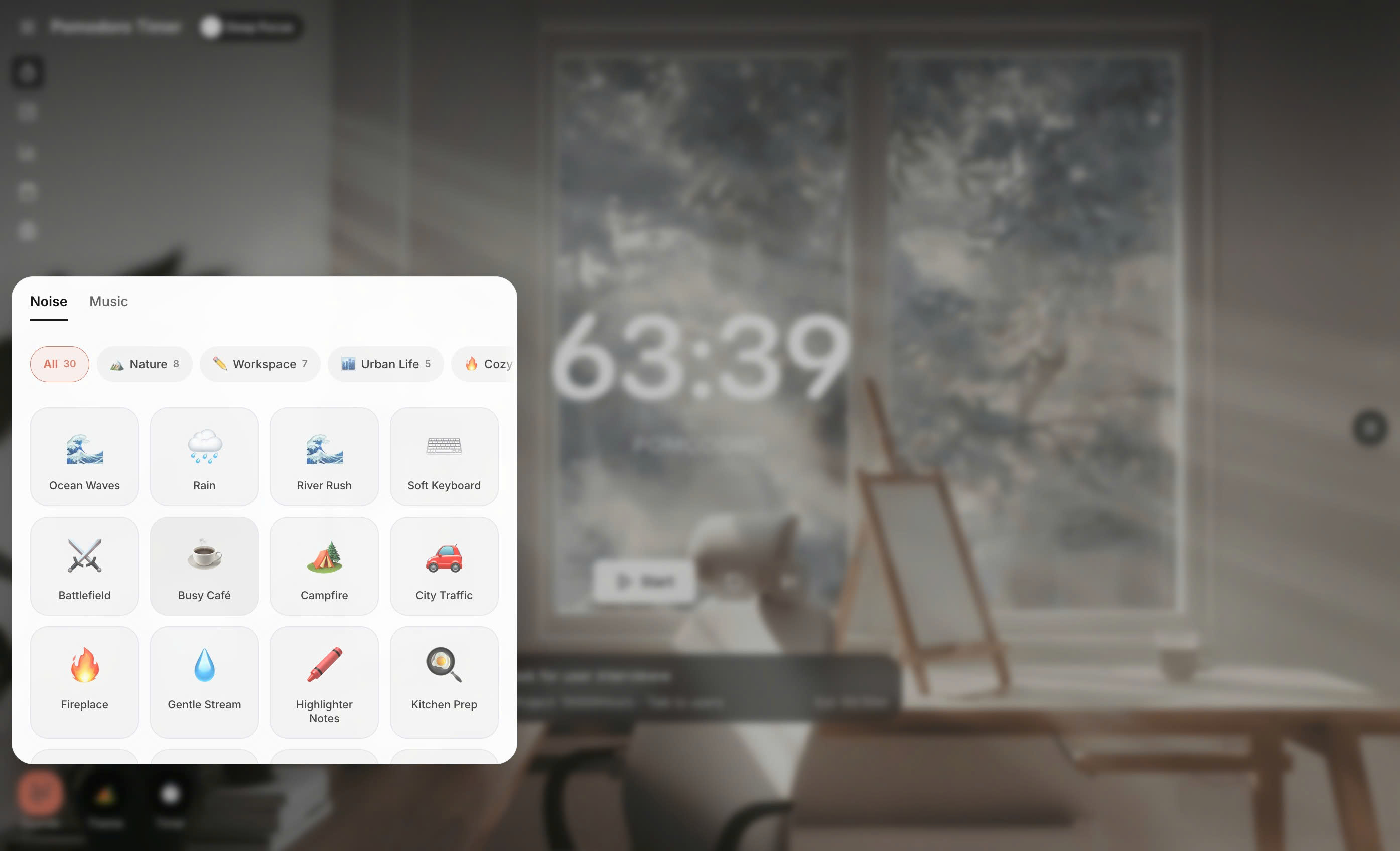
Kronos Pro includes 30+ ambient sounds inside the workspace: rain, café noise, lo-fi beats, ocean waves, fireplace, gentle stream, soft keyboard, river rush, campfire, city traffic, and more, organized into Nature, Workspace, Urban Life, and Cozy categories.
Can I use animated video backgrounds?
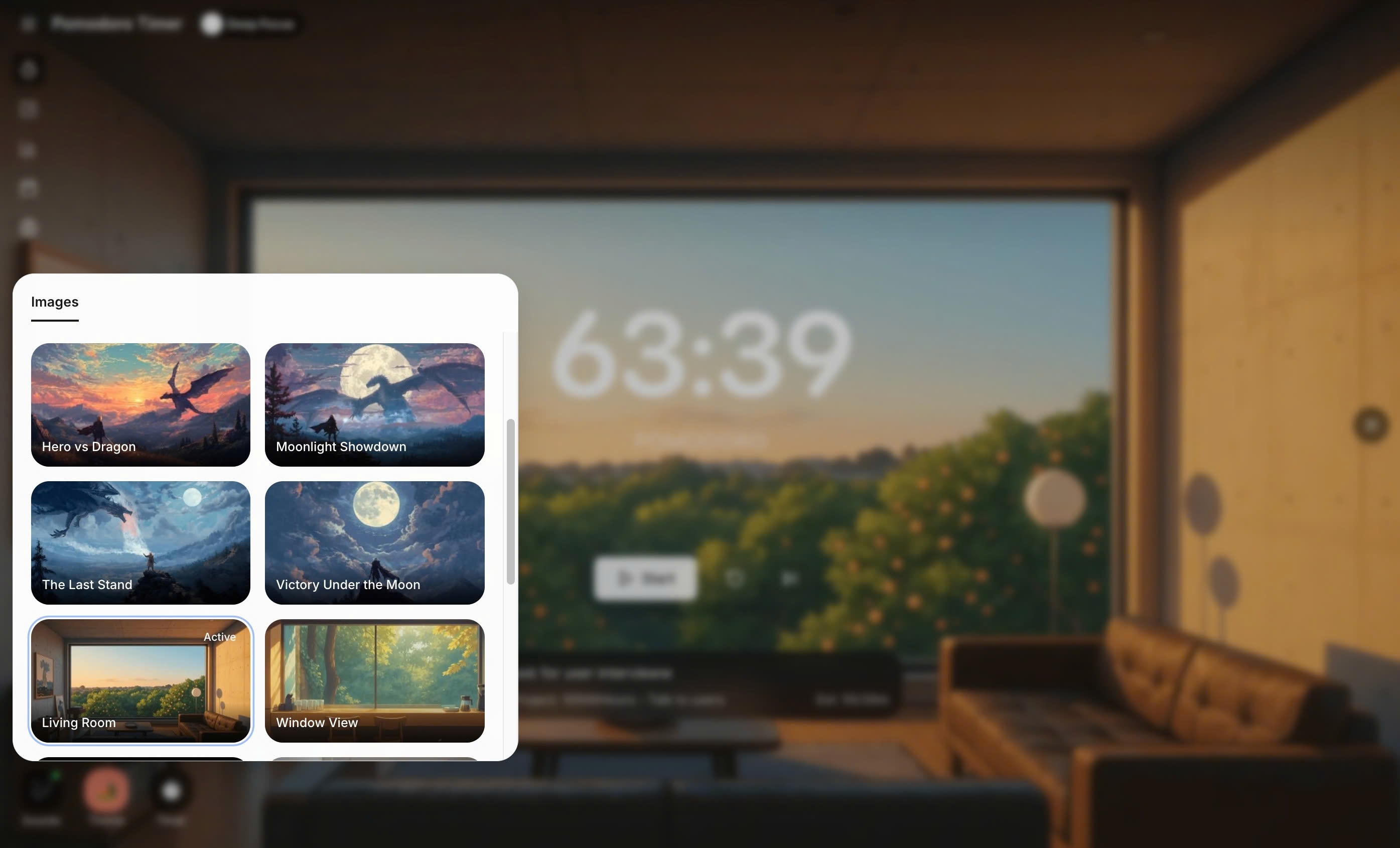
Yes. Kronos Digital Working Space supports calming animated video backgrounds such as cozy café, rainy window, peaceful forest, autumn lake, library, mountain, lotus pond, and snow mountain behind the timer and task panel.
Can I use YouTube videos as a background?
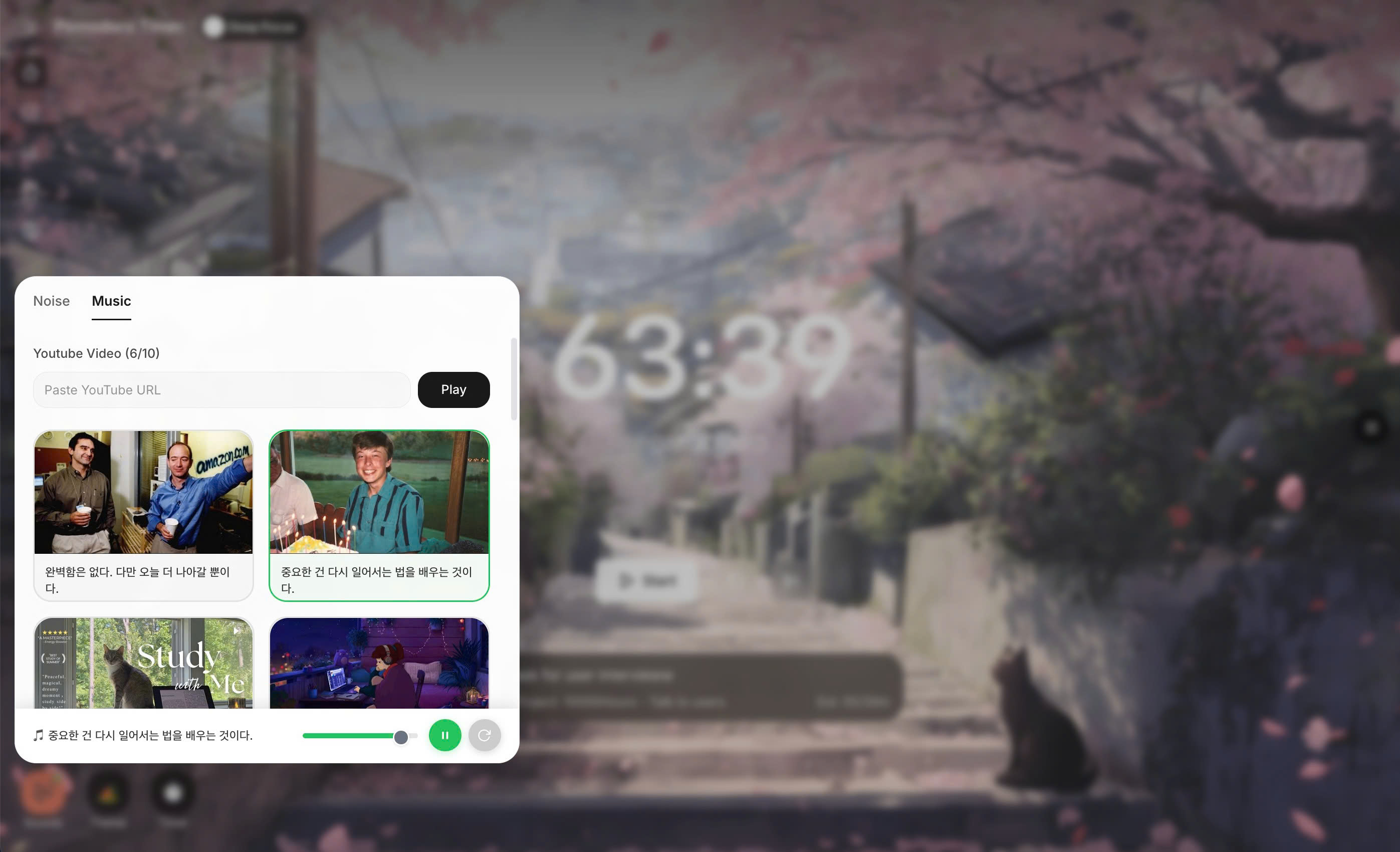
Yes. In Kronos Digital Working Space, paste any YouTube URL and it plays as a workspace background — no ads, recommended videos, or sidebar. Pricing lists ad-free YouTube video playback as a Pro feature.
Is the digital working space included in Kronos Pro?
The public pricing page lists Kronos Pro features such as unlimited themes, noise sounds, ad-free YouTube video playback, and all timer modes (Pomodoro and Flowmodoro).
How is this different from a focus music app?
A focus music app like Brain.fm or Noisli mainly provides sound. The Kronos digital working space combines sound with timer modes, visual themes, video backgrounds, task context, and focus review — in one screen.
How is this different from LifeAt or flocus?
LifeAt and flocus are ambience-first virtual workspace tools. Kronos focuses on ambience plus execution context: timer modes, tasks, and focus review in the same productivity system.
Is this different from a basic Pomodoro timer?
Yes. A basic Pomodoro timer counts work and break intervals. The Kronos digital working space adds themes, animated video backgrounds, ambient sounds, YouTube playback, task context, and focus review.
What does a daily focus ritual look like?
A simple daily ritual is to choose one task, pick a visual theme or animated video background, start a Pomodoro or Flowmodoro timer, add sound only if it helps, and review the completed session later. Kronos Digital Working Space is built around that loop.
Does the workspace connect to focus analytics?
Yes. The workspace sits inside the broader Kronos focus system, where timer sessions and task context feed into focus review and analytics surfaces.
Can writers use the digital working space?
Yes. Writers can use Kronos Digital Working Space to keep one draft or writing task visible, choose a calm visual setting or rainy-window background, and run a focused session without switching across tools.
Can students use it for study sessions?
Yes. Students can use Kronos Digital Working Space for study sprints, reading blocks, writing assignments, or revision sessions with timer and ambience in one place.
Does it help with ADHD or distraction-prone work?
Kronos Digital Working Space can provide structure, visible time boundaries, and fewer setup decisions for distraction-prone work. It is not medical treatment and does not replace professional ADHD support.
 dflo.ai