Integration page
Notion Integration for AI Work Context, Pages, and Databases
Kronos integrates with Notion so your AI assistant can use the pages and databases you share with the integration. Connect a Notion workspace, list accessible pages and databases, choose a default database for the agent, and ask Kronos AI questions with Notion context included.
Last updated May 8, 2026 · Last reviewed May 8, 2026
COMPARISON
How is Kronos different from using Notion alone?
Notion
Notion stores docs, pages, databases, notes, and knowledge. It is strongest as a flexible workspace and knowledge base.
Generic AI chat
Generic AI chat can answer from pasted context, but it does not automatically know your connected Notion workspace.
Task planner
A task planner helps execute work, but it may not read or answer questions from the knowledge already stored in Notion.
Kronos Notion integration
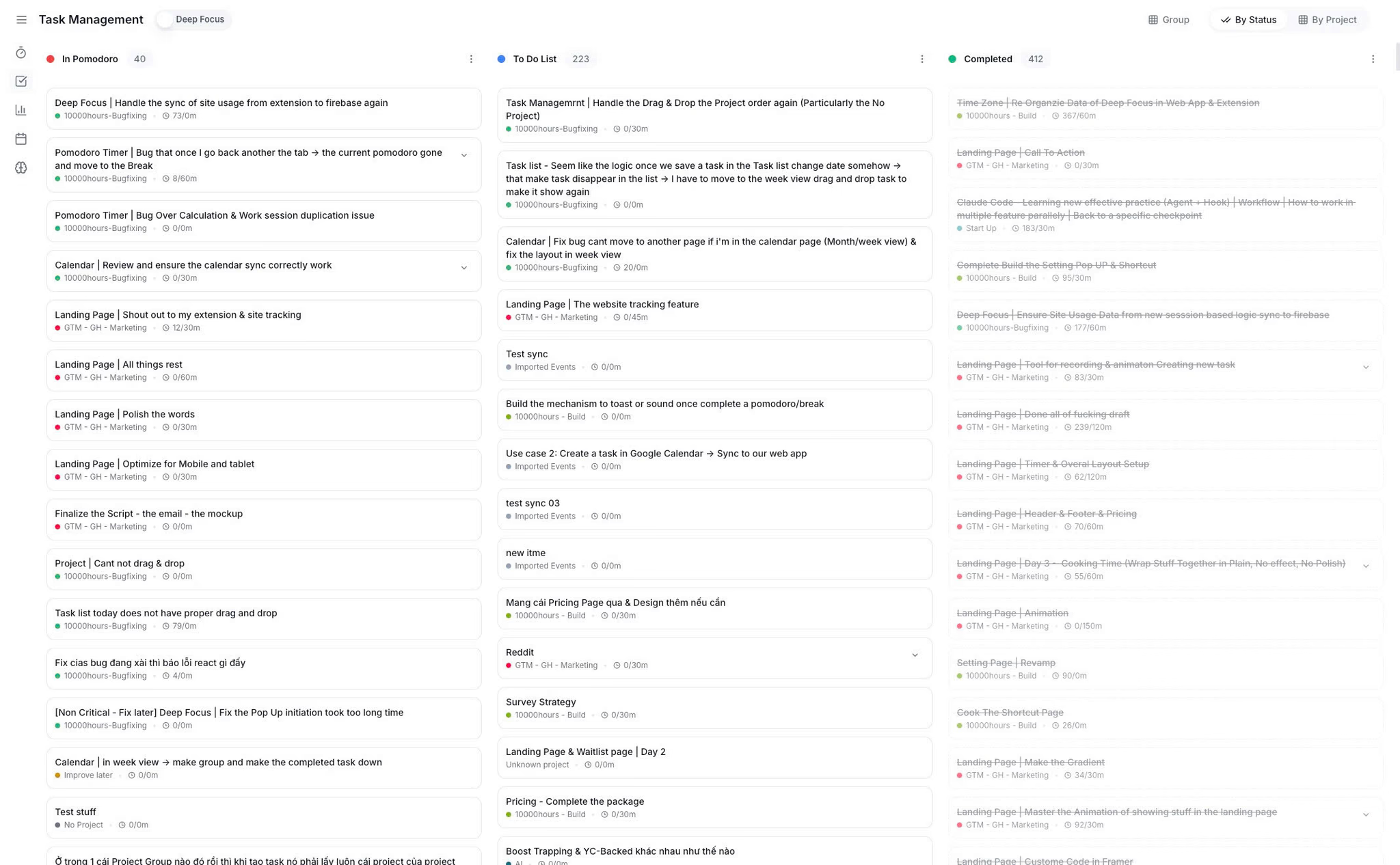
Kronos Notion integration connects shared Notion pages and databases with AI chat, agent context, task planning, and productivity review.
How to connect Notion to Kronos
Open Integrations in Kronos settings
Go to the Integrations area in Kronos settings and find Notion.
Choose Notion
Select Notion from the available integrations.
Connect Notion and grant workspace access
Kronos redirects you to Notion so you can grant access to the workspace content you choose to share.
Share the pages or databases you want Kronos to access
In Notion, make the relevant pages or databases available to the Kronos integration.
Refresh pages or databases inside Kronos
Use the Notion refresh controls in Kronos to list accessible pages and databases.
Choose a default Notion database for the agent
Select the default Notion database that the Kronos agent should use for connected AI context.
What does Kronos use from Notion?
- Kronos fetches accessible Notion pages and databases through the Notion API after workspace access is granted.
- Users can refresh Notion pages and databases manually from Kronos.
- Kronos can show last fetched and last refreshed information for connected Notion content.
- The Kronos agent can use shared Notion databases and pages for search, reading, summarizing, and answering questions.
- The Kronos Notion integration today focuses on AI context — connecting shared pages and databases for search, reading, summarizing, and answering questions. It is not full task mirroring, bidirectional task updates, or instant Notion field automation.
Troubleshooting Notion integration
Notion access is required
If Notion is not connected, grant workspace access from Kronos settings before expecting AI Buddy to use Notion context.
No databases found
If no databases appear, share the relevant database with the Kronos integration in Notion, then refresh databases in Kronos.
No pages found
If no pages appear, check that the page is shared with the integration and use the Notion page refresh control in Kronos.
Refresh failed
If refresh fails, confirm Notion access is still active, then retry the page or database refresh inside Kronos.
Wrong default database selected
If the agent is using the wrong database, change the default Notion database from the Kronos Notion integration settings.
Notion authorization was revoked
If authorization was revoked in Notion, disconnect and reconnect Notion from Kronos settings to restore access.
Disconnect and reconnect Notion
If the workspace changes or content remains unavailable, disconnect Notion and reconnect it so Kronos can rebuild accessible context.
WHO IT’S FOR
Who should use the Notion integration?
Founders
A founder can connect planning databases and ask Kronos AI Buddy about current projects, priorities, and stored context without manually copying Notion notes.
Uses: AI Buddy · Tasks · Calendar
Students
A student can share course notes or study databases with Notion, then use Kronos AI Buddy to ask questions while planning focus sessions.
Uses: AI Buddy · Pomodoro · Focus Analytics
Freelancers
A freelancer can connect client notes or project databases in Notion and use Kronos to plan focused delivery work around that context.
Uses: AI Buddy · Tasks · Projects
Frequently Asked Questions
Practical answers about connecting Notion to Kronos, sharing pages and databases, and using Notion context with AI Buddy.
Does Kronos integrate with Notion?
Yes. Kronos integrates with Notion so AI Buddy and the agent can use shared Notion pages and databases as connected work context.
How do I connect Notion to Kronos?
Open Integrations in Kronos settings, choose Notion, connect your workspace, grant access, then refresh pages or databases inside Kronos.
What can Kronos access from Notion?
Kronos can access the Notion pages and databases you share with the integration, including titles, links, and content needed for agent context.
Can Kronos list my Notion pages?
Yes. Kronos can list accessible Notion pages after the workspace is connected and those pages are shared with the integration.
Can Kronos list my Notion databases?
Yes. Kronos can list accessible Notion databases, show them in the integration screen, and let users refresh the database list.
What is the default Notion database used for?
The default Notion database tells the Kronos agent which connected database to use first when it needs Notion context for AI workflows.
Can AI Buddy answer questions about Notion content?
Yes. Kronos AI Buddy can use connected Notion context to answer questions about shared pages and databases when access is enabled.
Can I mention Notion pages or databases in AI chat?
Yes. Kronos AI chat supports mentioning connected Notion pages and databases so the question can include the right workspace context.
Does Kronos sync Notion tasks two-way?
The current Kronos Notion integration focuses on connecting shared pages and databases so AI Buddy can read, search, summarize, and answer questions with Notion context. Full two-way task sync is not part of this integration today.
Is Notion sync real time?
Kronos can refresh Notion pages and databases on demand, but instant real-time updates are not promised. Timing depends on Notion access, shared content, cache state, and the manual refresh behavior in Kronos.
How is this different from using Notion alone?
Notion stores knowledge. Kronos uses shared Notion context inside AI chat, agent workflows, task planning, focus sessions, and productivity review.
Other tools also offer Notion integrations. How is Kronos different?
Kronos Notion integration is built around AI work context: connected pages, databases, agent answers, planning, focus sessions, and productivity review.
Which Kronos plan includes Notion integration?
The pricing page lists Notion sync as a Kronos Pro feature. Check current pricing for the latest plan details.
What should I do if Notion content does not appear?
In Kronos, refresh Notion pages or databases, confirm the content is shared with the integration, and reconnect Notion if access was revoked.
 dflo.ai